
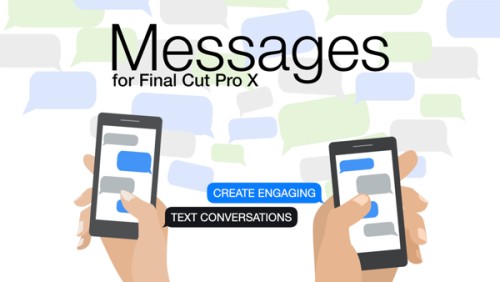
Ripple Training – RT Messages
RT Messages is a set of Final Cut Pro title templates that allow you to simulate text messages being sent and received. Create realistic text messages of any length, accurately position them on the screen with adjustable alignment guides; choose from standard message colors or choose your own; add optional avatars, images and videos; add 3-dot incoming messages and enhance your texts with familiar sound effects. Create text scrolls using the included template or animate them using keyframes. We have...

FCPeffects – the MEGA BUNDLE
Over 80 powerful and easy to use Final Cut Pro plugins in an easy to download and install package.

MotionVFX – mBeauty — Cosmetics, Wellness & Make-Up Presets for Final Cut Pro
Give your Final Cut Pro edits a glow-up with a pack of clean & stylish overlay effects, LUTs, typography, and add-ons designed for the beauty content! https://www.youtube.com/watch?v=4ClejlF-Y_M
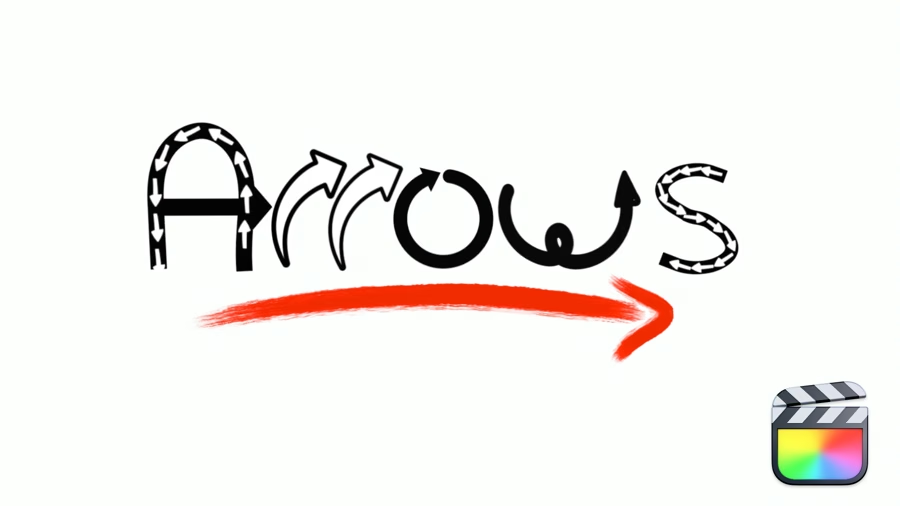
Ripple Training – RT Arrows
RT Arrows is a set of 39 title templates for Final Cut Pro that give you the ability to add customizable and trackable animated arrows to videos, images, and other visuals. Choose among hand-drawn, light-streak, multiple and stretchable arrow types. Each type includes on-screen controls for quickly adjusting the position, scale and rotation along with many controls for customizing the look of the arrows. Click here to watch help movies. Software version: FCP 10.7 or later. Using Hand Drawn Arrows Choose among 24...

Ripple Training – RT Markups
RT Markups is a set of 26 title templates for Final Cut Pro that gives you the ability to add customizable annotations to on-screen text, titles, or other elements that appear in web pages, newspaper and magazine articles, signs, posters, products, drawings, schematics, sheet music etc. Add them to any video, photo or illustration that has text or visual elements that you want to emphasize or exclude. Watch the help movie here. Software version: FCP 10.7 or later https://player.vimeo.com/video/905425898

v2.0.0Eric Lenz – Dehaze Plugin for Final Cut Pro
(Probably) Better than in Lightroom For over four years, I tried to create a fast, lightweight, easy-to-use, and good-looking Dehaze Plugin for Final Cut Pro. I think I finally did it. If you like Dehaze in Lightroom or Camera Raw, this plugin will not disappoint you. Quite the opposite, actually. I think it works better as the Dehaze operation in Lightroom. https://youtu.be/NstWQM2u0QI Main Features Dehaze Slider: Drag the slider up to remove haze, drag it down to add haze.Depth: Control the point...

EMUL8 – Film Emulation for Final Cut Pro
The Film Emulation we always wanted. So we built it. If you're looking for a real Dehancer alternative that doesn’t slow your Mac down or break the bank, this is it. We’ve used Dehancer for years. And yes, the looks are solid. But the performance is terrible. The price? Ridiculous. And half the settings are just useless. So we built a Film Emulation Plugin for Final Cut Pro that does what matters. Instant results: Cinematic looks with the aesthetics of analog film in...

v2.1.0Eric Lenz – Bloom Plugin for Final Cut Pro
Bloom via Drag and Drop – Yes, it’s that simple Achieving a good-looking blooming of the highlights in post is not a simple task. But that has just changed. Don’t waste your money on Pro Mist filters, don’t waste your time with hyper-complex plugins. This plugin for Final Cut Pro will create an aesthetic bloom effect, no matter what you throw at it. https://youtu.be/boXvYKX8Hqo Main Features Threshold: Lets you select which brightness level is considered a light source. The numbers behind...

FCPX Full Access – Selective Glitch Effect – Final Cut Pro
Selective Glitch Effect exclusively for Final Cut Pro! Choose specific sections of the screen to glitch out with this stylish effect. With an unprecedented amount of controls and ability to customise, this plug in takes standard glitch effects to a whole new level. Pack includes:- Selective GlitchDownload comes with step-by-step install instructions. Compatible with all project sizes at any resolution.System Requirements:- Please ensure you are running FCP 10.4.8 or above (available as a free update on the app store) https://youtu.be/naT1baFwvbA

Ryan Nangle – Light Ray Effect – Final Cut Pro
Light Ray Effect Plugin for Final Cut Pro. - 2 Light Ray Effects - Easy drag and drop effects- Customizable https://youtu.be/sPhGLn_7ZtE

Ryan Nangle – Object Removal Effect – Final Cut Pro
Object Removal Effect Plugin for Final Cut Pro. - Drag and drop effect - Works With Vertical Video - Lighting parameters to match scene - Remove people and objects from your video https://youtu.be/fMt8YuQWVvU

Ryan Nangle – Ultimate RGB Split Plugin – Final Cut Pro X
This is a FCPX Effect Plugin which allows you to control all of the RGB color channels seperately. To install, simply save the download folder in your Motion Templates, Effects Folder. https://youtu.be/cN-YzfrRF2A

Ryan Nangle – Vertical Video Grid Effect – Final Cut Pro
Vertical Video Grid Effect for Final Cut Pro.- 12 Video grid effects - Drag and drop effects- Customizable - Vertical video only https://youtu.be/phdUjklr1d0

MotionVFX – mStyle Cinematic — Essential Cinematic Toolkit for Final Cut Pro
Turn your edits into a visual delight straight from the big screen! mStyle Cinematic brings you an essential toolkit in pursuit of that professional, cinematic touch. https://youtu.be/S04Az2KtBY0

MotionVFX – mStorytelling — Cinematic Narrative Tools for Final Cut Pro
Craft a perfect narrative with a pack of video storytelling presets for Final Cut Pro, curated to bring a modern, cinematic look to your documentaries. https://youtu.be/nf2AChewrck

MotionVFX – mWorkspace — 83 Minimalistic & Stylish Elements for Final Cut Pro
Let your vision shine brighter than ever with irresistible glowy visuals, colorful gradients, kinetic typography, and handy tools! https://youtu.be/fK74tflIxU4