
Accuracy Matters
Each emulation is built by matching a digital image to a film scan. The same lens and lighting situation is maintained during the digital and film shoot to eliminate all other possible variables.
Emulation for Every Camera
Each digital camera manufacturer comes with its own digital sensor and color science, making a one size fits all emulation impossible.
This is why we have profiled the most popular digital cameras and created separate emulations for each so you can get accurate film looks no matter what camera you use.
Film Emulation Methods
CP Kodak includes two tools for emulation.
Profiles alter the raw data of a digital image to change contrast, saturation, and hue in a more precise manner that the basic tools in Lightroom would allow.
Presets modify settings directly within Lightroom, giving you control over specific values. However, they lack the precise color transformations that profiles can achieve.
The profiles are designed to establish the base look, while the presets can be layered on top to fine-tune the image, similar to how a lab technician adjusts scans while operating a Noritsu or Frontier.
Halation + Film Grain
Grain behaves differently across tonal regions, so we’ve included a grain preset that uses luminance masking to apply grain naturally to different areas of the image. This creates the most realistic film grain effect achievable in Lightroom.
The halation effect requires Photoshop, so we include a Photoshop action that automatically identifies areas in a digital image where halation would naturally occur and applies the effect accordingly.
Highlight rolloff
Soft Highlight presets are included with the product to create a more natural-looking highlight rolloff by lowering the white point using a curves adjustment.
Using profiles with built-in highlight rolloff can cause highlight clipping, which may result in a loss of detail in the brightest areas.
When you apply a Color Precision profile to an image, the highlights are reduced, but the white point remains unchanged.
If the white point were lowered in the profile to imitate the smooth highlight rolloff of film, the brightest areas of the image would become clipped. As a result, true white could no longer be restored, even if you set the highlights to 100%.
What’s Included (96 Profiles, 33 Presets, 2 Actions)
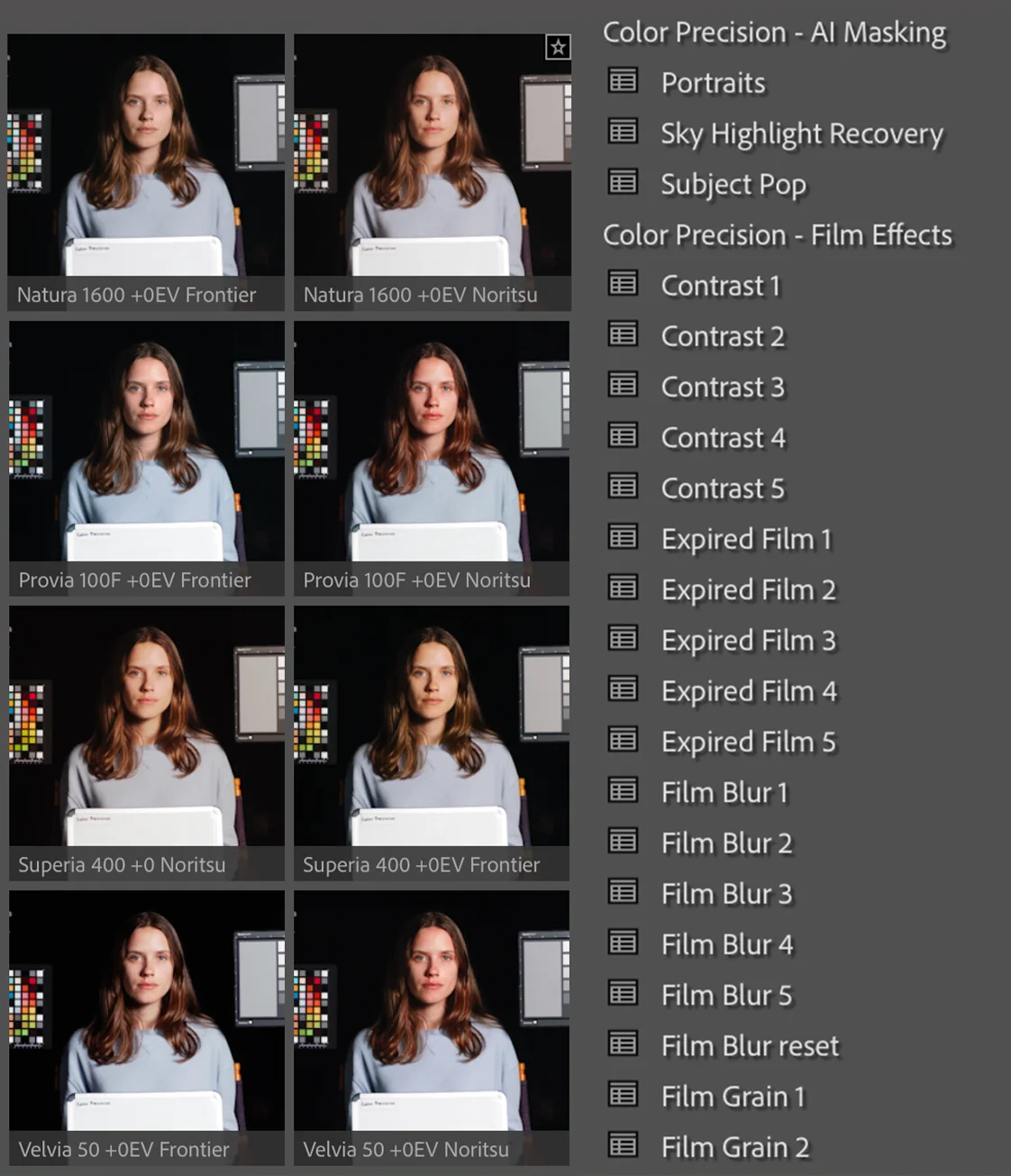
Pro 400H -1ev/0ev/+1ev/+2ev/Norritsu version/Frontier version
Pro 400H pushed -1ev/0ev/+1ev/+2ev/Norritsu version/Frontier version
Pro 160S -1ev/0ev/+1ev/+2ev/Norritsu version/Frontier version
NPS 160 -1ev/0ev/+1ev/+2ev/Norritsu version/Frontier version
Provia 100F -1ev/0ev/+1ev/+2ev/Norritsu version/Frontier version
Velvia 50 -1ev/0ev/+1ev/+2ev/Norritsu version/Frontier version
Fuji 200 -2ev/-1ev/+0ev/+1ev/Norritsu version/Frontier version
C200 -1ev/0ev/+1ev/+2ev/Norritsu version/Frontier version
Superia 400 -1ev/0ev/+1ev/+2ev/Norritsu version/Frontier version
Fuji 400 -1ev/0ev/+1ev/+2ev/Norritsu version/Frontier version
Natura 1600 -1ev/0ev/+1ev/+2ev/Norritsu version/Frontier version
NHG II 800 -1ev/0ev/+1ev/+2ev/Norritsu version/Frontier version
Grain Preset levels 1-5
Film Blur Preset levels 1-5
Soft Highlights Preset levels 1-5
Fade Preset levels 1-5
Contrast Preset levels 1-5
Expired Film Preset levels 1-5
AI Masking Presets portrait – sky highlight recovery – subject pop
Halation Action halation – paint-on halation




Comments0